
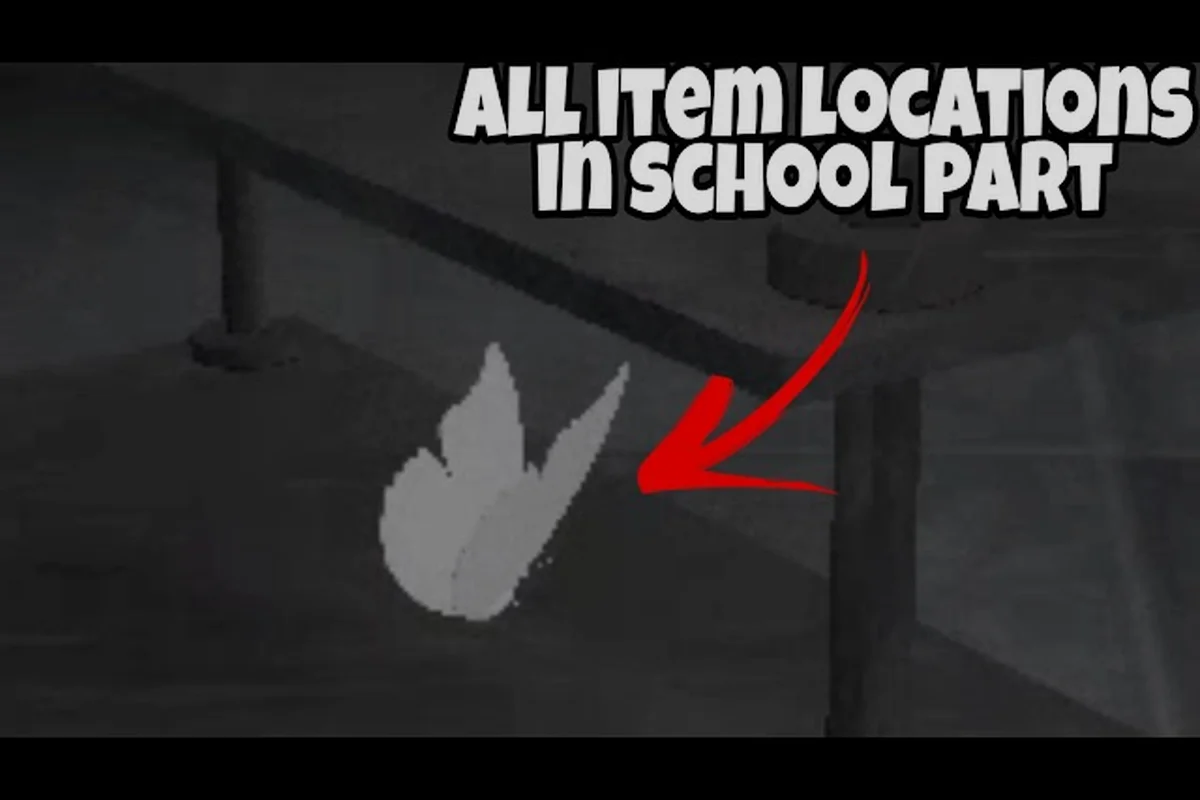
The Mimic item spawns matter because small collectibles can mark objectives, unlock later rooms, and improve your route through a run. Track the room anchors, objective items, and reward flow so you know what to pick up before moving on.
What The Mimic Item Spawns Actually Represent
The Mimic item spawns are not a single treasure list scattered randomly across every map. They are map-anchored objects tied to rooms, objectives, notes, and progression checks. Some items merely document what happened in a location, while others affect the route you can take or the completion condition for a chapter. That distinction matters because searching every prop can waste time without advancing the run.
A practical way to organize The Mimic where to find items checklist is to ask three questions about each object: Is it decorative, does it reference an objective, or does it unlock a reward? Community walkthroughs commonly treat visually distinct interactables as stronger clues than undressed scenery, because quest props usually appear with clearer outlines or environmental changes.
| Item type | What it usually does | Best search approach |
|---|---|---|
| Objective key | Advances or redirects chapter progress | Follow the active task route first |
| Note or clue | Adds lore and confirms an event | Inspect marked rooms after objectives settle |
| Progress prop | Shows that a room or event was completed | Revisit the relevant route |
| Badge reward | Records a completion milestone | Claim after the required chapter actions finish |
| Lantern | Appears through the Chapter 1 reward path | Finish Rage Chapter 1 before expecting it |
This classification matters because objective items should take priority over optional collectibles. For example, the Chapter 1 lantern appears through the Rage Chapter 1 reward path, so completing that chapter’s required actions is more useful than inspecting every hallway prop. In The Mimic where to find items searches, an objective key can redirect progress, while a note or clue mainly confirms an event; treating both as equal can turn the reward system into a brute-force hunt instead of a route-based checklist.
Objective Markers Versus Optional Collectibles
Objective markers normally have a direct relationship to the current chapter. Their appearance tells you that the relevant room remains part of the active route, while their interaction may reveal a key location, confirm a puzzle, or advance a stage. Optional collectibles expand the run’s history and completion record, but they should not pull you away from a time-sensitive task.
The distinction also explains why The Mimic chapter 1 items can be easier to identify than later materials. Early objectives establish the route and use repeated visual language, so players can learn which shapes indicate a usable item. Later additions may look similar to ordinary room dressing, making room memory and the objective prompt more valuable than a pixel-by-pixel search.
Why Room Position Matters
Room position is the safest first filter for The Mimic item spawns because identical-looking props can occupy very different purposes. An item near a locked route, objective doorway, or chapter transition is more likely to matter than one tucked into a distant side room. Record both the room and the landmark inside it, such as a door, cabinet, table, or machine.
| Landmark type | Search cue | Common mistake |
|---|---|---|
| Entrance | Item appears just inside the room | Overshooting it after entering |
| Far wall | Often placed where the eye naturally stops | Checking only the floor |
| Objective doorway | Suggests a route or interaction | Ignoring it because progress continues |
| Table or cabinet | Useful for papers and notes | Confusing notes with required keys |
| Corner route | Often contains optional collectibles | Prioritizing it over a direct objective |
Use two identifiers for each item: the room name and a fixed landmark. “Upstairs room near the far table” is far more useful than “near the stairs,” because a later floor or rerun may contain another staircase. This format preserves the item’s location for The Mimic reward system checks, especially when chapter progression unlocks new rooms and changes which objective doorway or cabinet is accessible.
Chapter 1 Item Routes and Room Anchors
Chapter 1 provides the best foundation for understanding The Mimic chapter 1 items because the progression chain is compact enough to learn and long enough to expose the core route logic. Start with the active objective, collect anything that clearly intersects the current chain, and then use notes to understand which spaces you have already cleared.
A room-clear marker can save time on later passes. Once you confirm the main object in a room, note whether it was collected, missed, or intentionally skipped for a later objective. This creates a compact log instead of forcing you to remember every prop during tense encounters.
| Route stage | Item search focus | What to record |
|---|---|---|
| Initial objective | Required key or interactable | Exact room and object location |
| First branch | Door access or route-opening item | Which entrance it affects |
| Mid-chapter objective | Progress prop or clue | Whether collection changes the room |
| Final objective | Chapter-completion trigger | Any remaining pickups nearby |
| Reward check | Lantern or badge reward | Claim status and chapter completion |
Community reports describe Chapter 1 as a useful baseline for learning objective-first routing: visit the room attached to the current task, interact with the relevant object, and only then scan for optional materials. This approach reduces repeated searching because each completed interaction becomes proof that one part of the map has been cleared.
Building a Reliable Room-by-Room Log
Write a short note after every meaningful room: objective found, optional item found, or room still needs a second pass. Keep those notes separate from unpicked collectibles, because a later objective can reveal an item that was not interactive on the first visit.
| Checkpoint | Clear condition | Next action |
|---|---|---|
| Objective room | Required item collected | Follow the newly opened route |
| Connected room | Entrance checked | Return to the active objective |
| Locked branch | Access item obtained | Enter the branch if required |
| Searched side room | No relevant item found | Record it as clear |
| Reward room | Chapter condition completed | Check reward notifications |
The complete item reference is useful after a route run because it helps distinguish permanent collectibles from temporary objective props. Use the route log to find physical items, then consult the reference to confirm their role.
How The Mimic Unlock System Changes Item Priority
The Mimic unlock system turns progression into a sequence rather than an open checklist. Earlier chapter items can establish the route needed for later content, while completion rewards and badges mark milestones that unlock or recognize further play. Knowing that structure helps you decide whether an object is worth pursuing immediately.
Think of progression in three layers: route access, chapter completion, and account recognition. A key may belong to the first layer, a final objective prop may belong to the second, and a badge may belong to the third. Treating all three as identical collectible tasks often creates unnecessary detours and can hide the item that actually matters.
| Progression layer | Item role | Completion evidence |
|---|---|---|
| Route access | Key, door object, or route-opening tool | New area becomes available |
| Chapter completion | Final interactable and required checks | Chapter closes successfully |
| Account recognition | Badge or reward token | Reward appears in collection records |
The unlock sequence also explains why optional notes can be valuable even when they do not open a door. They may help you reconstruct a route or reveal which rooms were already handled during a previous attempt. However, an optional note should never replace a required objective when time or danger is limited.
Route Access Versus Chapter Completion
Route-access items can be spotted early because they sit directly along the intended progression path. Chapter-completion items often require you to remember every required interaction, especially if progress changes after a later objective. A clean checklist therefore needs separate columns for “route opened” and “chapter completed.”
For example, if a key appears behind a locked office door, record both the key and the door it opens. If a chapter then requires a separate final interaction in that office, the room remains active even though the key has already been collected. This prevents a common false positive: assuming that acquiring one important item closes every condition associated with the room.
How Unlock Milestones Affect Later Searches
Once a chapter’s final condition is met, later searches become less efficient unless they target a specific reward or optional entry. The reward system should narrow the destination, not create an open-ended hunt across the entire chapter. This is where The Mimic reward system explained becomes more than a general concept: completion records tell you which milestone still needs attention.
Use the badge reward guide to compare the Lantern with other completion goals in The Mimic. For example, if you are prioritizing the Lantern badge, check whether Chapter 1’s required milestones are already recorded before starting another full search; this prevents duplicate runs while keeping the hunt focused on the specific Lantern reward rather than general exploration.
The Mimic Lantern Badge Reward Path
The Lantern is tied to completing the relevant Chapter 1 progress chain in Rage Chapter 1, according to the provided objective and reward reference. Its appearance should therefore be treated as a milestone event, not as a rare prop that can be picked up in any random room. The reward arrives when the chapter requirements are satisfied and the reward path is recognized.
| Reward checkpoint | Player action | Expected result |
|---|---|---|
| Chapter 1 route | Collect required objective items | Access expands or changes |
| Required interactions | Complete every chapter condition | Chapter registers as finished |
| Reward resolution | Finish the run after completion | Lantern appears as earned |
| Collection review | Check inventory or reward records | Lantern status is confirmed |
This path explains The Mimic lantern badge reward questions: the critical variable is not only where the player is standing when the reward appears, but whether the chapter’s complete condition chain was recorded. If one mandatory interaction was skipped, continuing to search the same map may produce no reward because the system still considers the chapter incomplete.
Confirming the Reward Instead of Continuing to Search
After finishing Chapter 1, pause and review the inventory or reward interface. Confirm the Lantern entry before leaving the reward flow. This quick check distinguishes a completed reward from a collectible that may exist somewhere in a future room and prevents unnecessary repeat clears.
If the Lantern does not appear, revisit the route log rather than the entire map. Check required keys, final-room interactions, and whether the run ended before reward resolution. Based on community experience, objective tracking is more reliable than attempting to trigger an unseen pickup by revisiting every possible prop.
Lantern Versus Badge Milestone
A badge and an item reward serve related but different purposes. The Lantern is an item reward associated with the Chapter 1 path, while a badge represents a broader milestone. If you are collecting both, finish and claim each objective instead of assuming one automatically confirms the other.
The Nightmare badge requirements provide a useful second checkpoint for harder milestone runs. Treat the Lantern as proof that the Chapter 1 chain was completed, then use badge objectives to determine whether a more demanding difficulty or route is still necessary.
Reading The Mimic Reward System and Claiming Progress
The Mimic how rewards work is easiest to understand as a sequence of conditions, resolution, and collection. Conditions come from objectives and chapter requirements. Once they are met, the game resolves the reward and presents it through the reward or inventory interface. Collecting it confirms that the milestone has been recorded.
This system explains why a visible badge does not always mean every related collectible is complete. A badge can acknowledge the end of a chapter, while the Lantern tracks a specific item reward inside that chapter’s progression. Reading the reward screen immediately after completion is therefore more reliable than relying on memory of what was picked up during the run.
| Signal | Meaning | Best response |
|---|---|---|
| Objective remains active | A required condition is unfinished | Follow the active task prompt |
| Door or route remains closed | Access item may be missing | Revisit its recorded room |
| Chapter closes without reward | Review reward resolution conditions | Check the final sequence |
| Reward appears in inventory | Milestone is secured | Record it before continuing |
| Badge shows, item does not | Separate recognition and item tracks | Verify the item-specific requirement |
This is the clearest part of The Mimic reward system explained: chapter completion is a prerequisite, while reward presentation and collection are separate final steps. Players who understand that sequence can troubleshoot a missing Lantern without restarting every part of the map.
Why a Visible Badge May Not Confirm Every Item
Badges can summarize a milestone while the item collection remains attached to a specific reward track. If you see a badge after a successful chapter, verify the Lantern separately unless the interface explicitly lists it as the badge reward. Confusing those two categories can create a false sense of completion and unnecessary farming.
The difficulty badge guide clarifies how badge milestones differ across modes. Use it when deciding whether another run is needed for a harder badge, while keeping the Chapter 1 item checklist separate for the Lantern itself.
Efficient Routines for Finding The Mimic Where to Find Items
A reliable item routine combines objective priority, fixed landmarks, and a three-state room log. Start at the active task, interact with the relevant prop, and classify the room as complete, incomplete, or optional. This method is more efficient than sweeping the map indiscriminately because every interaction has a clear purpose.
| Route order | Search behavior | Reason it works |
|---|---|---|
| Active objective | Follow the prompt to its room | Keeps progress on the critical path |
| Immediate branches | Check entrances opened by the objective | Captures dependent items |
| Connected rooms | Use doors and landmarks from the log | Avoids missing route-access props |
| Optional rooms | Search only after required conditions | Lowers distraction from completion items |
| Reward check | End the run and inspect rewards | Confirms milestone resolution |
The best routine is one that can be repeated after death or restart. Save coordinates or a simple landmark description before engaging dangerous encounters, because an item route is useful only if you can return to it without repeating the entire chapter.
A Five-Step Collection Routine
First, read the active objective and identify the room type it references. Second, locate that room through a permanent landmark rather than a vague direction. Third, interact with the objective and inspect nearby surfaces. Fourth, update the room log before leaving. Fifth, resolve and claim rewards immediately after the chapter closes.
| Step | Action | Log entry |
|---|---|---|
| 1 | Identify objective room | Objective type and location |
| 2 | Locate the room | Fixed landmark |
| 3 | Collect and inspect | Item collected or still missing |
| 4 | Update status | Clear, blocked, or optional |
| 5 | Claim reward | Lantern and badge status |
This routine also makes The Mimic item spawns easier to compare between attempts. If the same room remains blocked, the problem is likely a missed prerequisite rather than a randomized spawn. You can then focus on the recorded key or interaction instead of repeating the entire search.
When to Skip Optional Items
Skip optional collectibles when a required objective is active, a route is closing, or a survival risk is rising. Optional items improve completeness, but they should never prevent you from meeting a condition that unlocks the chapter reward. If time permits, return after the critical path is secure and use your room log to target only unmarked locations.
The first-hour guide can help new players establish an efficient progression routine before collecting every optional item. The key balance is to learn the room structure and objective language while staying alert to the distinction between required and optional props.
Common Item-Spawn Mistakes to Avoid
The most common mistake is treating every interactable as a required key. Another is recording only a floor number or approximate direction, which makes later searches frustrating. Players also tend to assume that seeing the chapter-complete notification guarantees every reward was collected, or that a missing reward means the item moved to a different room.
| Mistake | Why it fails | Correction |
|---|---|---|
| Treating all props as objectives | Creates low-value detours | Check the active task prompt |
| Using vague room notes | Makes reruns harder | Record a fixed landmark |
| Assuming a badge claims every item | Mixes separate reward tracks | Verify each reward entry |
| Leaving immediately after completion | May miss reward resolution | Inspect the reward interface |
| Repeating the full map for one item | Wastes time and increases risk | Revisit the failed checkpoint |
| Collecting randomly during combat | Misses context-dependent objects | Pause only when safe |
These mistakes often occur because players treat the map as a static checklist. In practice, The Mimic item spawns become relevant within a progression context. A prop’s role can change when an objective changes, which is why the active prompt and your room log should guide the search.
Checking a Missed Spawn Efficiently
Begin with the objective chain, not with a random uncollected item. Confirm that each key was collected and used, then inspect the final room for required interactions. If the objective list is complete but the reward is missing, verify whether the run reached the reward-resolution stage before you left.
This checkpoint approach prevents the common habit of revisiting every room after a single missed objective. The item locations reference can be consulted when a remembered prop is not where you expected, while the objective prompt remains the primary source of truth.
Frequently Asked Questions
Where are The Mimic item spawns found?
The Mimic item spawns are concentrated in objective-linked rooms, with keys, notes, progress props, and reward items appearing near relevant routes. Start with the current task, use fixed landmarks to identify its room, and check nearby interactables. Optional collectibles may also occupy side rooms, so a room log helps separate cleared spaces from those still needing attention.
What items are required in Chapter 1?
The Mimic chapter 1 items include the keys and interactables needed to complete the chapter’s route and final conditions. Notes and other collectibles can provide context, but they should not replace active objective items. Record each mandatory interaction as you complete it, then verify that the chapter closes and its reward appears before leaving the run.
How do I receive the Lantern reward?
The Lantern is earned through the Rage Chapter 1 completion path after the required objective chain has been resolved. Finish every key and final-room condition, complete the chapter, and then check the reward or inventory interface. If it is missing, review the chapter checklist for a skipped interaction rather than searching the entire map again.
Does earning a badge automatically give the Lantern?
Not necessarily. A badge records a milestone, while the Lantern is tied to the specific Chapter 1 item-reward path. Treat them as related but separate tracks. Confirm the Lantern in your inventory even when a badge appears, and consult the Chapter 1 route log if one reward appears while the other does not.
Can missed items appear after restarting the chapter?
A restart may change availability or reset certain room conditions, so previously inaccessible objects can become reachable again. However, you should expect to repeat required objectives rather than assume every collectible respawned. Record fixed room landmarks and rerun the critical path first, because that is the fastest way to reach and verify the needed item.